


01 / 03
Minecraft
Generate blocks, items, mobs, recipes, worlds, Fabric, Forge, and NeoForge mods from a single prompt.
Fabric · Forge · NeoForge · Java ModStudio AI
ModStudio AI
Create and manage your game mods with a ModStudio AI account.
Generate blocks, items, mobs, recipes, worlds, Fabric, Forge, and NeoForge mods from a single prompt.
Fabric · Forge · NeoForge · Java
Create SMAPI mods, Content Patcher packs, new items, characters, dialogue, quests, maps, and farm expansions from a single prompt.
SMAPI · Content Patcher · Json Assets · Custom NPCs
Build tModLoader mods, custom weapons, boss AI, accessories, tiles, and biome expansions from a single prompt.
tModLoader · C# · Custom Bosses · Weapons · BiomesTell AI what you want to create.
Refine every detail in one place.
Export your idea into the game.
The ModStudio library
Choose a world. Give us one prompt. We handle the modding workflow.
How it works
ModStudio AI gives you a flexible way to create. Start with a simple description, keep shaping the result through conversation, or take complete control and build every part yourself.
Write a single prompt in your own words. Describe a new item, a complete questline, a custom world, a new mechanic, or an entire mod from the ground up. ModStudio AI turns your idea into a structured project and prepares the files and content for the selected game.
Your first generation is only the starting point. Continue interacting with the AI to add features, change behavior, balance difficulty, revise visuals, expand content, or fix problems. You can ask for focused changes without rebuilding the entire mod from scratch.
AI is optional. Use the ModStudio interface to assemble a mod yourself with visual controls, organized settings, content editors, and guided configuration. Create and refine your project without writing code, while keeping a clear view of what will be added to the game.
Demo screenshots
Real UI captures from the ModStudio AI demo.
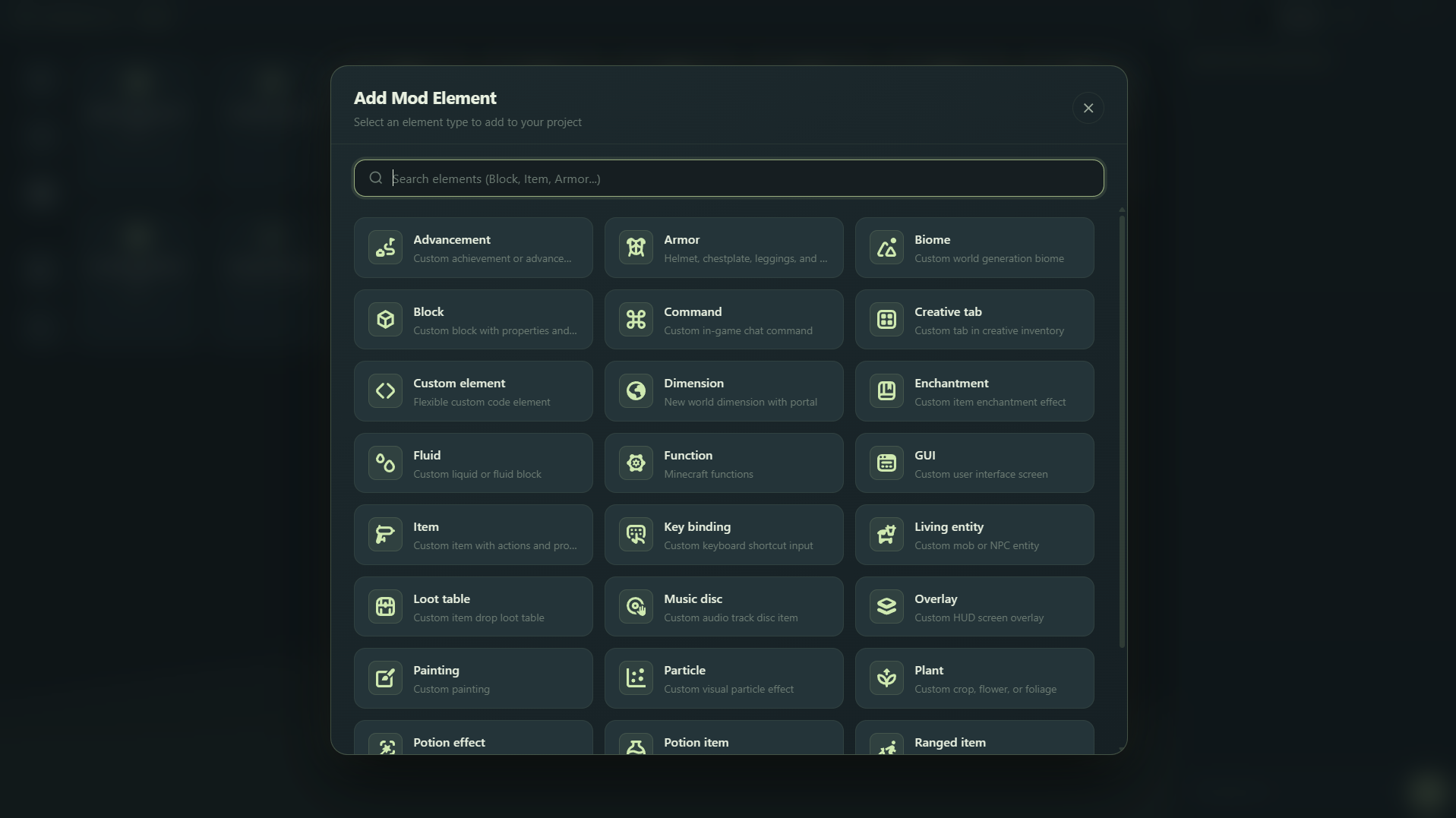
Block, Item, Armor, Biome, Dimension, GUI and 25+ more types in one searchable dialog.
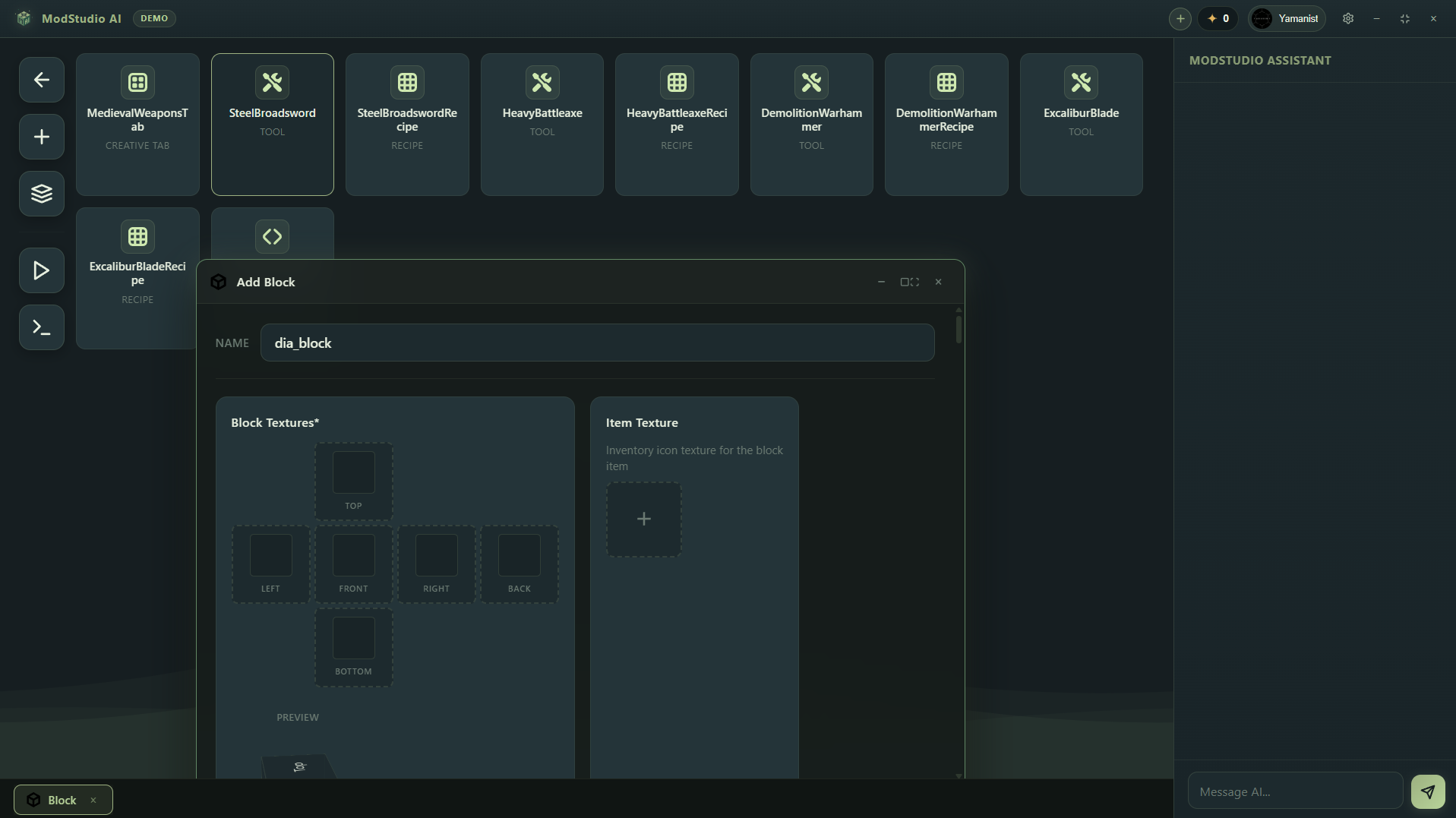
Configure names, per-face textures, inventory icons and live preview without writing code.
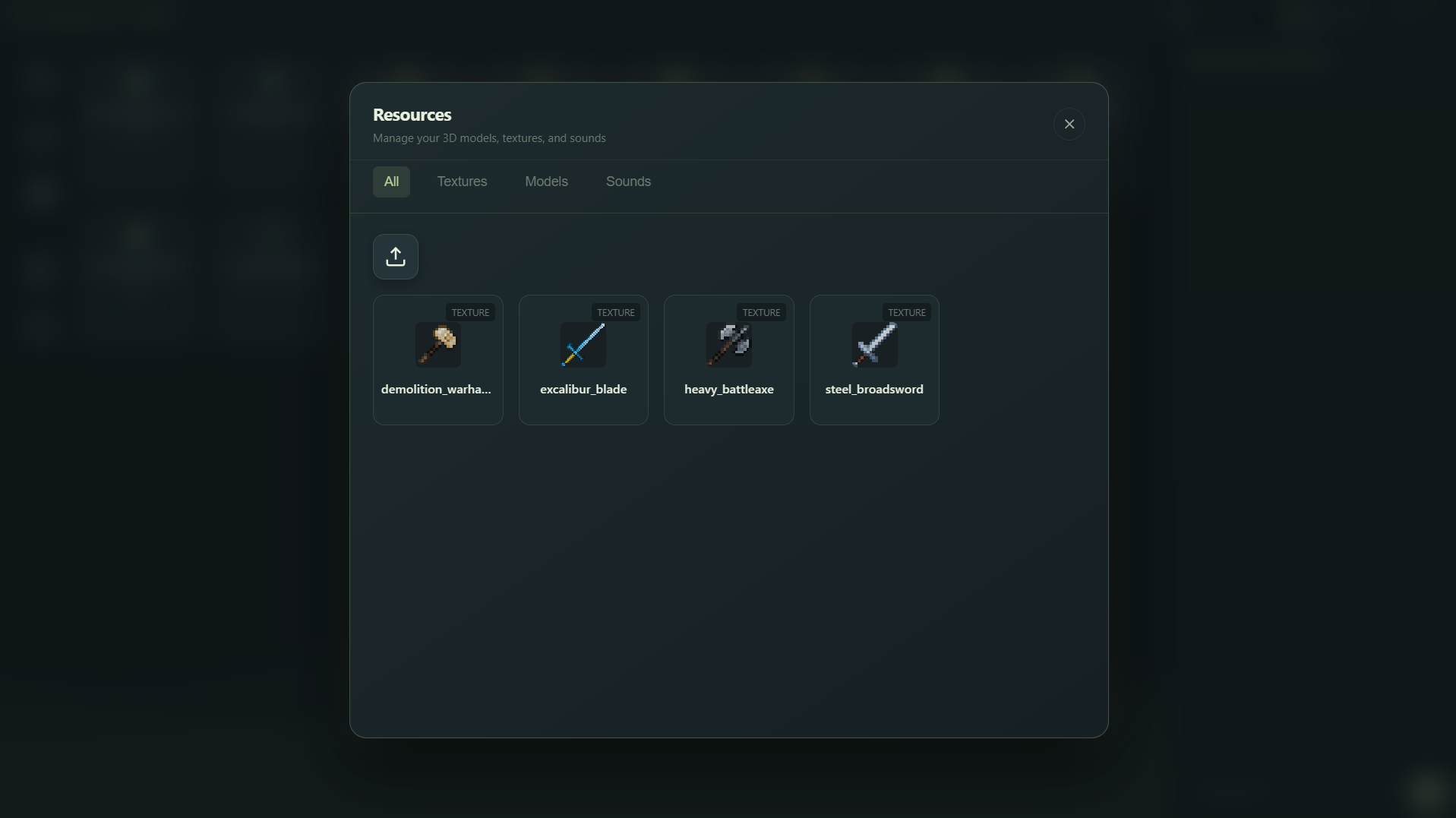
Manage textures, 3D models and sounds. Imported assets wire automatically to your elements.
Built for Modern Game Creators
ModStudio AI handles the heavy technical lifting so you can focus purely on creativity and game balance.
Auto-wires Fabric registries, Forge event buses, and NeoForge capabilities without manual boilerplate or dependency mismatch errors.
Generate coherent 16x16 and 32x32 textures matching vanilla Minecraft color palettes and shading styles in real-time.
Connect damage hooks, custom potion effects, right-click triggers, and particle cues visually or through editable Java source code.
Author your mod once and let ModStudio AI build compatible distribution artifacts across supported mod loaders with unified logic.
Launch a sandboxed Minecraft test instance directly from the workspace to test custom entities and items without risk.
Package your mod with valid metadata, fabric.mod.json, mods.toml, resource packs, and lang files ready for CurseForge and Modrinth upload.
The Smarter Workflow
A direct comparison between traditional modding setups, generalist AI chatbots, and ModStudio AI.
| Capability | ModStudio AI | Manual IDE (IntelliJ / Eclipse) | Generic Chatbots |
|---|---|---|---|
| Setup Time | Instant (Zero setup) | Hours configuring Gradle & JDK | No build environment |
| API & Registry Validity | 100% Loader Verified | Accurate (Manual check) | Frequent API hallucinations |
| Integrated Sprite Studio | Built-in 16x16 / 32x32 | Requires external software | No game textures |
| Playable JAR Export | One-click compile | Manual Gradle build task | Text snippets only |
| Visual Logic & Code Sync | Bidirectional sync | Code only | None |
| Verdict | Ships real mods | Experts only | Ideas only |
Clear Answers
Find answers to common questions about ModStudio AI, supported loaders, demo access, and compatibility.
Minecraft Fabric, Forge, and NeoForge for modern versions (1.20 and 1.21). You can choose your preferred target loader before generating.
The demo gives you access to the standalone workspace where you can generate weapons, tools, basic blocks, custom recipes, and inspect generated Java project sources.
No. ModStudio AI handles all file generation and compilation automatically. If you know Java, you can also view and edit the raw code directly.
Yes. All generated projects produce standard mod JARs and source files that you own 100%, fully licensed for public sharing and monetization.
Generating new mods and complex procedural logic consumes workspace credits. Check our Credits page for current balance and package details.
Multi-game support is currently in active development. Minecraft is available today, and early access for other titles will roll out to existing users first.